AI Close
Turning the close checklist into an AI-powered workflow
- Role
- Product Designer
- Year
- 2026
- Tools
- Claude, Figma
Overview
What if a checklist item could actually do the work?
Before AI Close, Puzzle’s Close experience was essentially a checklist for closing the books. Puzzle provided a set of common tasks accountants might need to complete, and accountants could add their own. Some tasks linked directly to the relevant area of the product: a reconciliation task, for example, could take someone directly to the account they needed to reconcile.
It was useful, but the checklist was ultimately a list of things a person needed to do.
The introduction of AI created an opportunity to change that model. Instead of simply telling an accountant what needed to happen, a task could become an agent capable of doing the work.
That meant the experience needed to support an entirely new lifecycle:
Define → Run → Review → Approve
I designed the experience across that lifecycle: defining agents, running them on demand or on a schedule, reviewing their output, and approving it.
From checklist to agent
The mental model had to change. A checklist item used to mean a person did the work and marked it done. Now it could mean an agent did the work, and a person reviewed it before it was done.
That sounds simple, but it changes what a task actually represents. An accountant is no longer just checking something off a list. They may be defining instructions for an agent, deciding when it should run, assigning responsibility, reviewing what it produced, and approving the result.
The challenge was introducing this new concept without making accountants feel like they had to learn how to build or operate an AI system.
Don’t make accountants learn how to build AI. Make building an AI workflow feel like defining a task.
The experience needed to use familiar accounting workflow concepts, like tasks, owners, due dates, approvals, and schedules, while gradually introducing the new concept of an agent.
Creating an agent
Turn an accounting task into executable work.
Creating an agent became one of the most important parts of the experience. Instead of simply naming a task, accountants could define:
- Name: what the agent is responsible for
- Description: what the work is intended to accomplish
- Prompt: the instructions that tell the agent how to perform the work
- Assignee: who owns the work
- Approver: who is responsible for reviewing it
- Due date: when the work needs to be completed
- Schedule: when and how often it should run
The goal was to make these feel like attributes of a normal accounting task rather than configuration for an AI system.
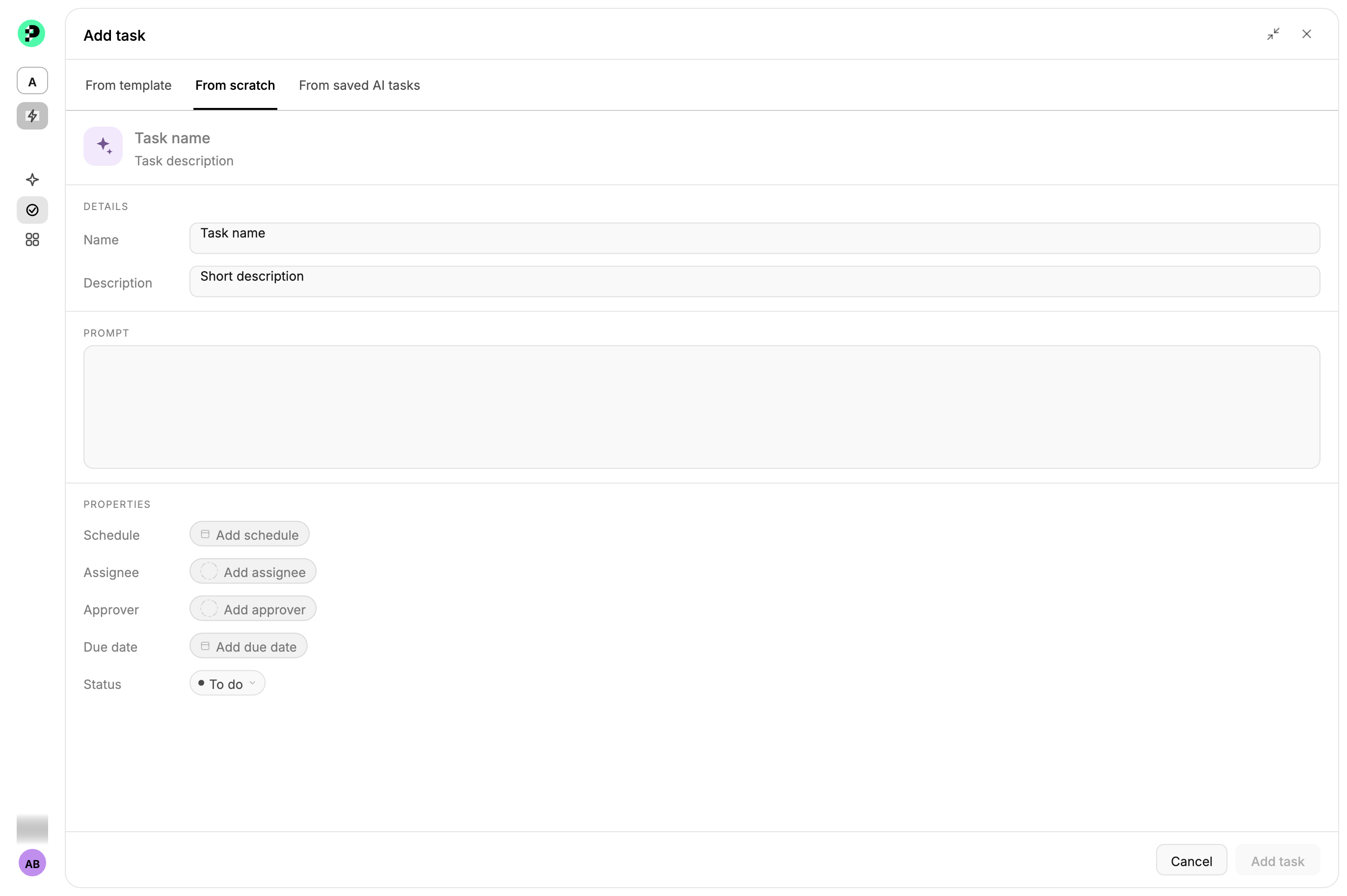
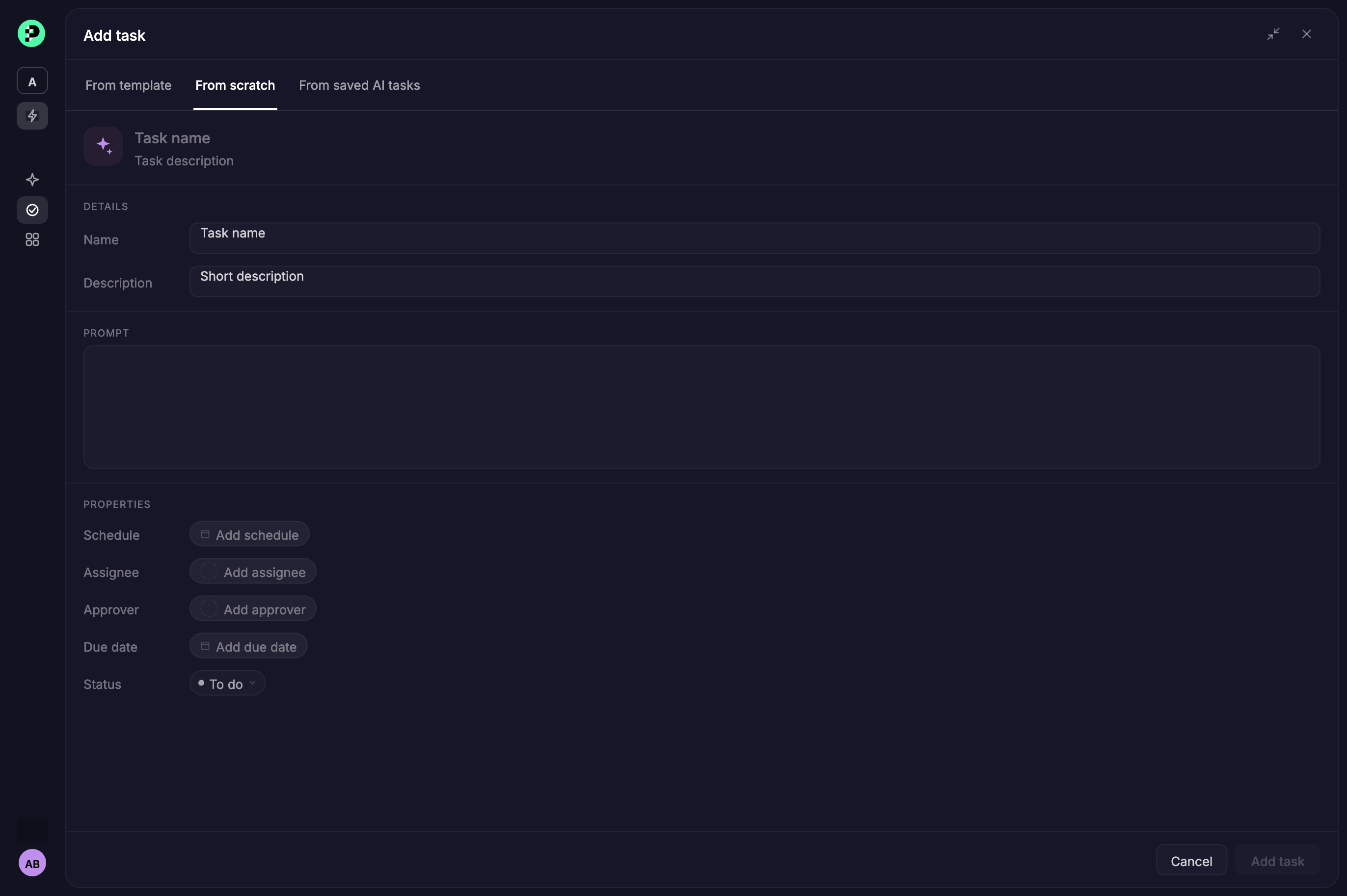
The prompt was especially important. It introduced a new concept for accountants: instead of manually performing a process, they describe the work they want done. That made the creation experience less about configuring technology and more about defining an outcome. A recurring bank reconciliation, for example, could be defined once, describing what counts as a match, and left to run on its own schedule from then on.
That’s also why scheduling lived inside the same definition rather than as a separate setting. Some work only needs to happen once. Other tasks, like that reconciliation, need to run weekly, monthly, or quarterly. Treating cadence as one more attribute of the task, alongside who owns it and when it’s due, kept an agent from feeling like something an accountant had to configure on top of their actual work.
Managing the work
AI needed to fit into the same operational workflow as people.
Once agents could perform work, the system needed a clear way to understand where everything stood. I designed a status model around the different states an accounting task can move through:
To Do → In Progress → Need Action → Waiting on Client → Ready for Review → Done
These states aren’t just labels. They communicate who, or what, is responsible for the next step.
- To Do: work hasn’t started
- In Progress: work is underway
- Need Action: the workflow needs intervention
- Waiting on Client: progress depends on information from the client
- Ready for Review: the work is ready for an accountant
- Done: an accountant approved it, and nothing is left to do
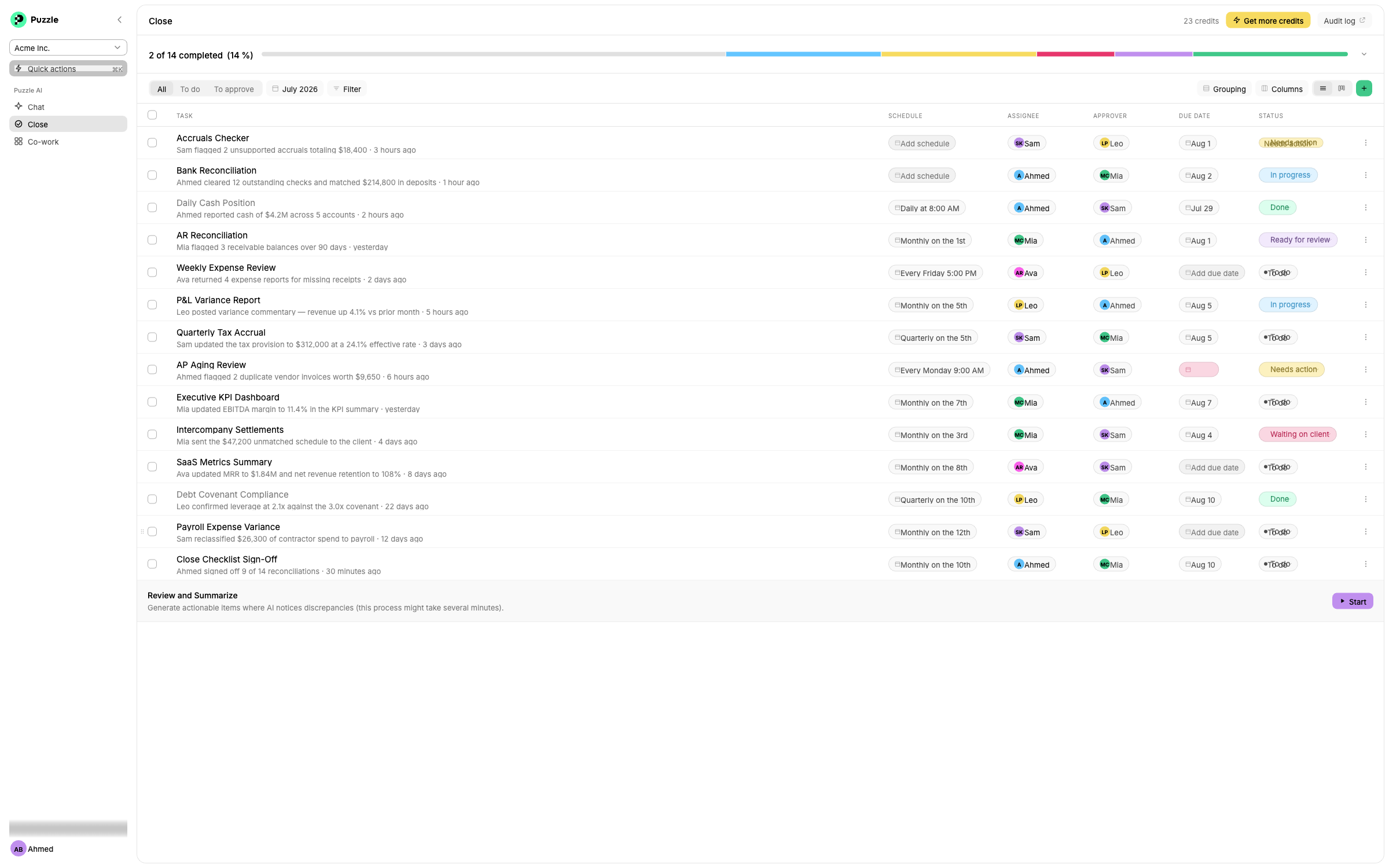
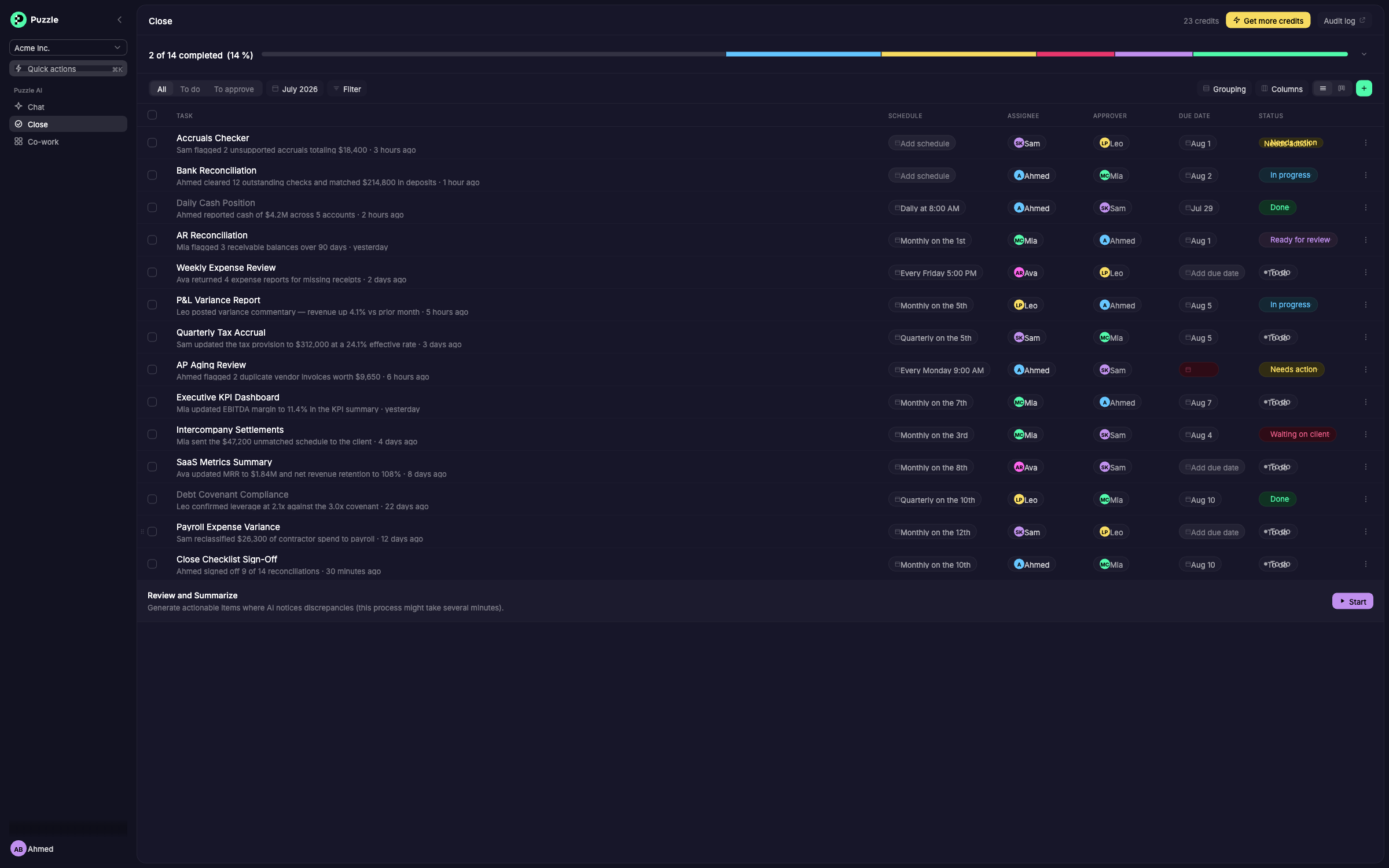
This created a common language for managing both manual work and AI-powered work. As the number of AI-powered tasks grew, that same status model let an accountant see what needed attention, what was waiting on someone else, and what was ready for review, without having to manage the AI underneath it.
Designing the human and AI handoff
Automation doesn’t eliminate the accountant. It changes when they enter the workflow.
One of the most important principles was keeping the human in control. An agent could perform work, but the accountant still needed to understand the result and decide whether it was ready to move forward. That created a deliberate handoff:
Run → Ready for Review → Review → Approval
The AI handles execution. The accountant handles judgment. That distinction became fundamental to the experience. A reconciliation agent, for example, could match the obvious transactions on its own, but anything it couldn’t resolve still had to land in front of an accountant to decide.
Rather than hiding the AI behind a single “complete” state, the interface makes the transition between AI work and human review explicit.
Reviewing the work
If AI is doing the work, accountants need to understand what happened.
A major challenge with AI-powered accounting is trust. An accountant shouldn’t have to accept an output simply because an agent says it’s finished.
The review experience needed to provide visibility into the work that had been performed. I designed the experience around the agent’s output as well as its history and conversation, giving accountants a way to understand what happened before deciding what to do next.
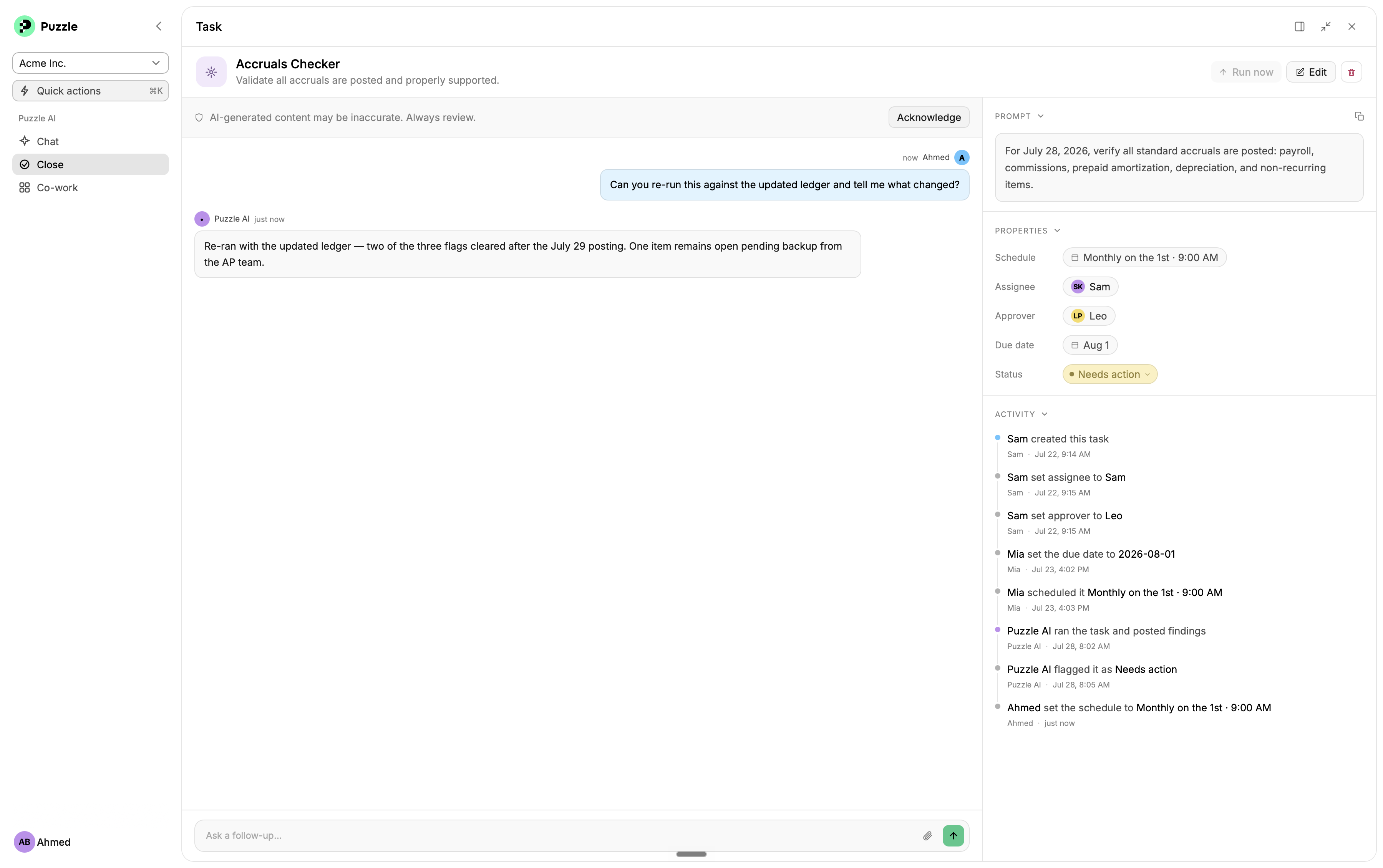
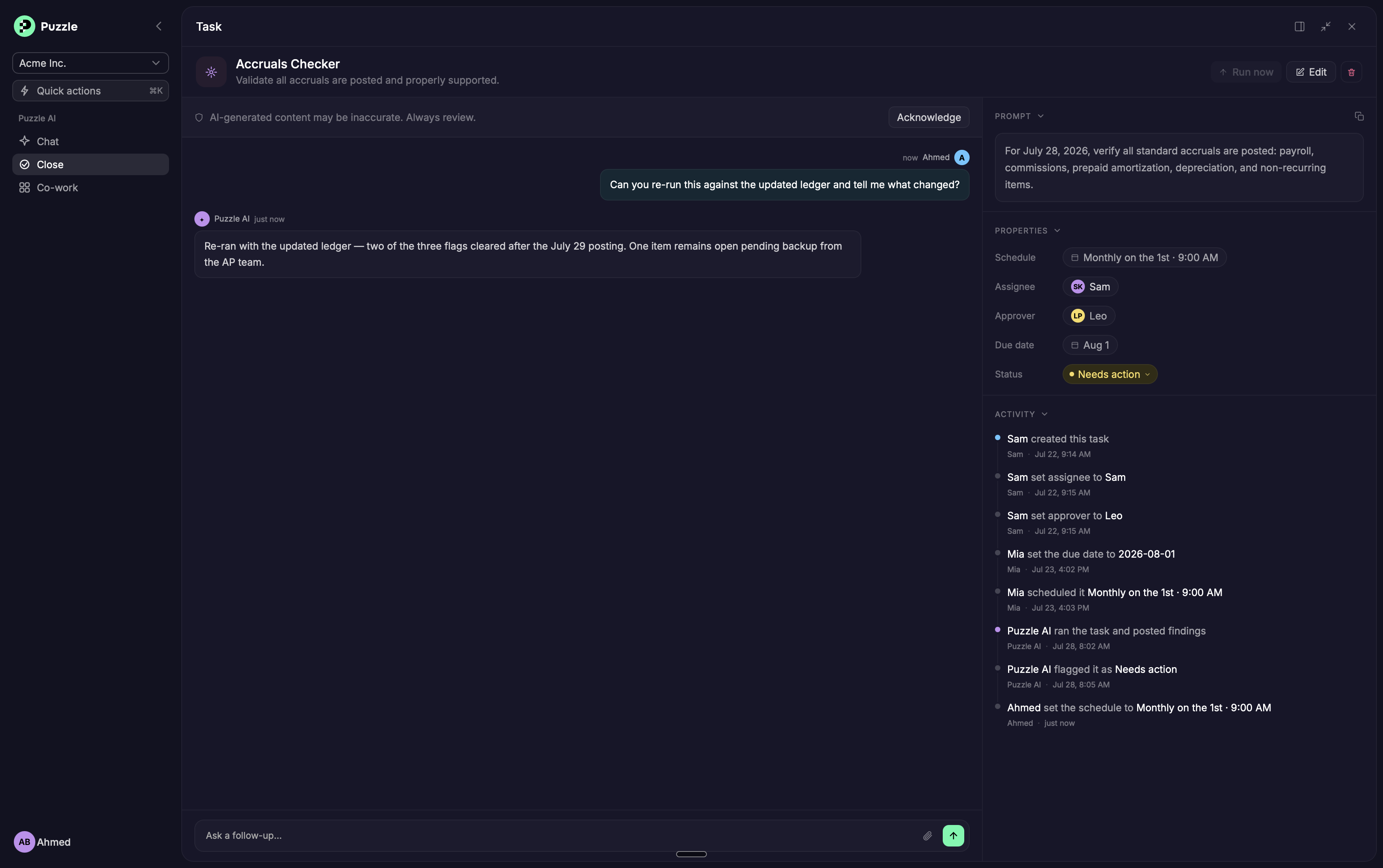
The goal wasn’t to expose every technical detail of the AI. It was to answer the questions an accountant actually cares about:
- What did it do?
- Why did it do it?
- What did it find?
- Does anything need my attention?
- Can I approve this?
Key design decisions
Closing the books isn’t one identical process for every business, so the goal was never to prescribe a universal close. An accountant could combine AI tasks, manual tasks, assignments, approvals, and schedules into whatever sequence actually matched how their close worked.
- Keep the mental model familiar: agents are introduced through concepts accountants already understand: tasks, ownership, due dates, schedules, and approvals
- Treat agents as work, not as a separate AI feature: an agent isn’t something users visit in isolation, it becomes part of the work they already need to manage
- Make the human handoff explicit: AI execution and human approval are distinct steps
- Make AI work inspectable: the ability to review output and history is essential to building confidence
- Separate execution from approval: an agent can do the work without being the final decision-maker
The bigger design challenge
The hardest part wasn’t making AI do accounting work. It was making AI work understandable.
Adding an agent to a product is relatively easy to describe. Designing the system around it is much harder.
Someone has to create the agent. Someone needs to define what it should do. Someone needs to decide when it should run. Someone owns the work. Someone may need to intervene. Someone reviews the result. Someone approves it. And the system needs to communicate all of that clearly.
That shifted the design problem from “How do we add AI?” to “How do we make AI understandable enough to become part of an accountant’s everyday workflow?”
What I took away
Good AI doesn’t remove people from the workflow. It gives them better leverage.
For accounting, that means taking repetitive and structured work off an accountant’s plate while preserving the judgment, review, and control that make the work trustworthy.
The resulting system isn’t simply a checklist with AI added to it. It’s a workflow where humans and AI have different responsibilities, and the interface makes those responsibilities visible. That’s the foundation for making AI a practical part of closing the books.
Define. Run. Review. Approve.