Payment Application
Designing for the messy reality of money
- Role
- Product Designer
- Year
- 2024
- Tools
- Figma, Claude
Overview
Payment matching sounds simple until money meets the real world.
Puzzle automatically matches payments to invoices/bills when it can confidently determine the relationship. But real-world payments aren’t always clean or one-to-one: a single payment might cover several invoices/bills, only partially cover what’s owed, or be larger than the amount being applied. Processing fees can also get deducted before a payment lands, so the amount that actually arrives doesn’t line up with the invoice/bill at all. Sometimes the customer/vendor is known even when the specific invoice/bill isn’t.
Automation can’t always resolve that on its own, and even when it does match automatically, it can occasionally get it wrong. Either way, an accountant needs a clear way to step in and fix it. The challenge was to make that manual work feel less like an exception and more like a natural part of the product.
The problem
The accounting model looks straightforward on paper: payment maps to invoice/bill. The real-world relationships are much messier.
- One payment → one invoice/bill: the straightforward case
- One payment → multiple invoices/bills: a customer/vendor may settle several outstanding invoices/bills at once
- Partial payment: a payment may cover only part of an invoice/bill
- Overpayment: the payment may be greater than the amount currently being applied
- Payment without a specific invoice/bill: the customer/vendor is known, but which document it belongs to isn’t yet
- Multiple allocations across parties: a single payment can bundle bills or invoices for more than one customer/vendor at once, not just multiple documents for the same one
The product couldn’t treat matching as simply finding one corresponding record, not with edge cases like these in play. It needed to support the actual relationship between money and the records it affects.
The design principle
The system often has useful context: a bank transaction may already be associated with a customer/vendor, starting from an invoice/bill gives that document’s context, starting from a specific transaction tells us what the accountant is trying to resolve. That context should make the workflow faster, but it shouldn’t become a constraint.
Start narrow when the system has context. Let the accountant broaden the search when they need to.
That meant surfacing likely matches and relevant records without ever preventing the accountant from searching, filtering, selecting different records, or changing the allocation.
One workspace, multiple ways in
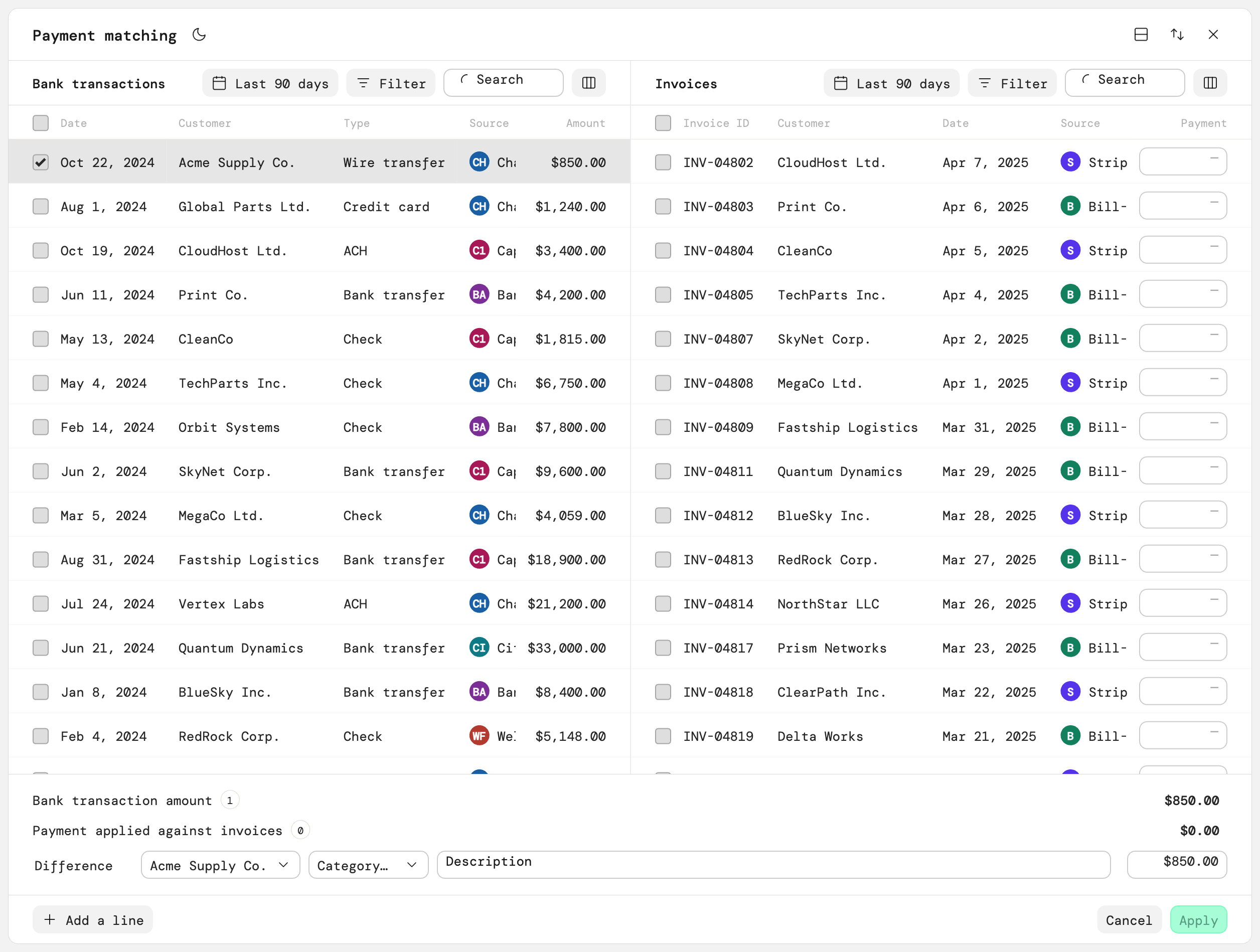
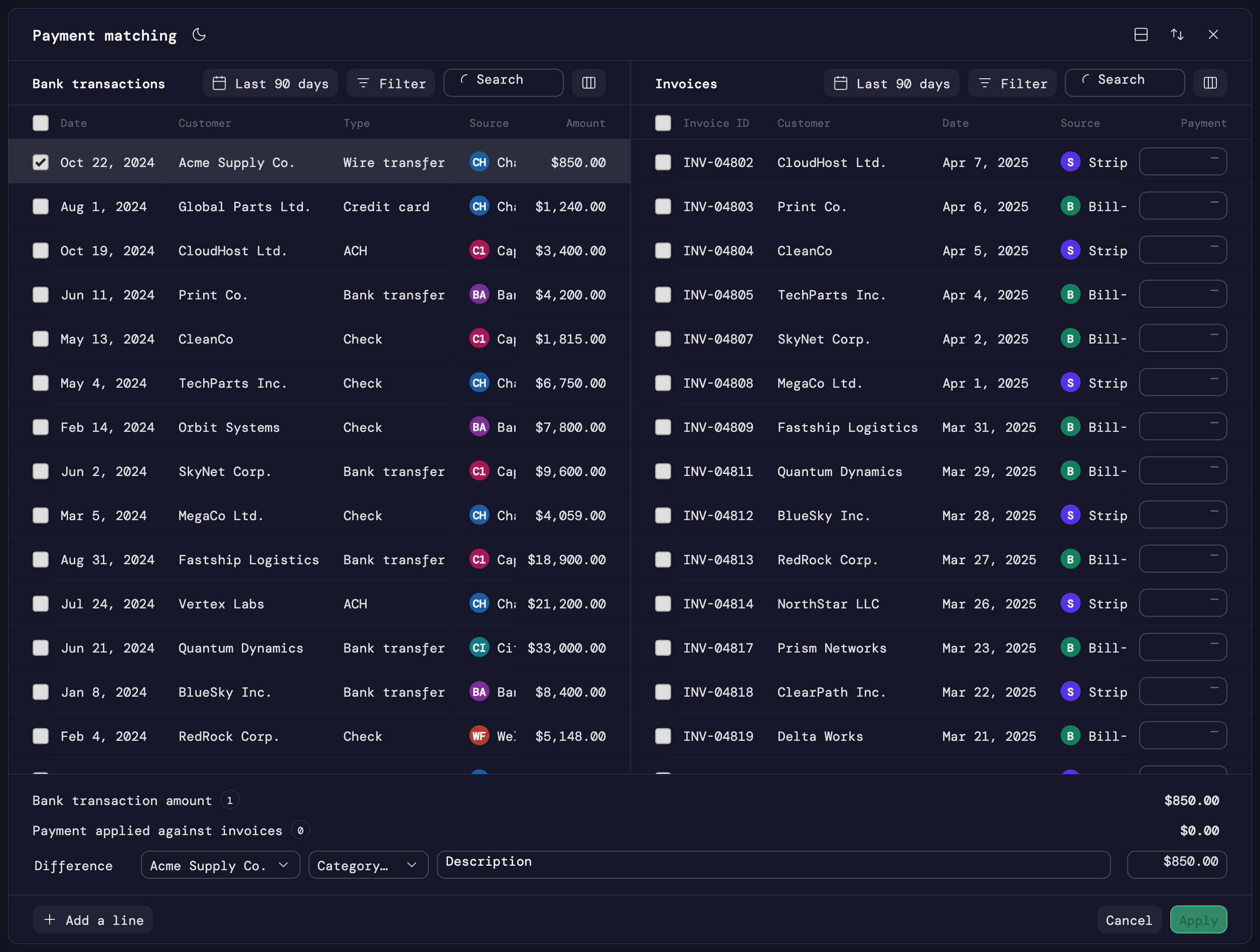
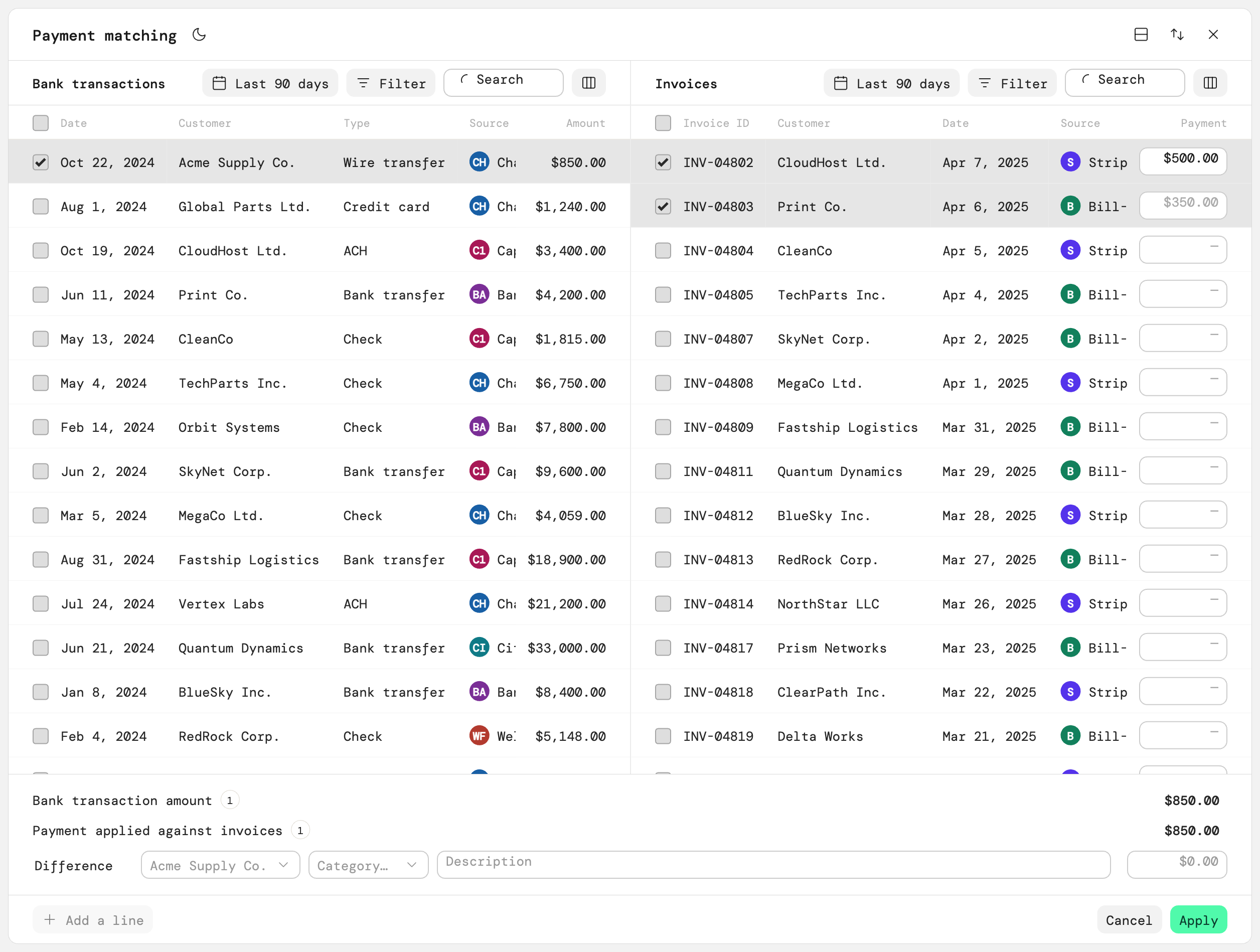
Rather than designing a separate workflow for every scenario, I designed a single, reusable matching workspace that stays consistent no matter where it’s entered from:
- Bank transaction: an accountant starts with a transaction and matches it to an invoice/bill; the workspace opens with that transaction already selected
- Multiple transactions: an accountant selects several transactions before entering the workspace, when the relationship needs more than one
- Invoice/bill: the workflow can start from the other side, finding the payment relationship from the document instead of the payment
- Create Payment: a payment can be created directly from the Payments area, opening the workspace with no predefined match so the accountant can build the relationship from scratch
Reducing the search
One of the biggest opportunities was cutting down how much searching an accountant had to do. If the originating transaction already has a customer/vendor associated with it, that context can narrow the records shown on the other side: instead of every possible invoice/bill, the accountant sees the ones most likely to matter.
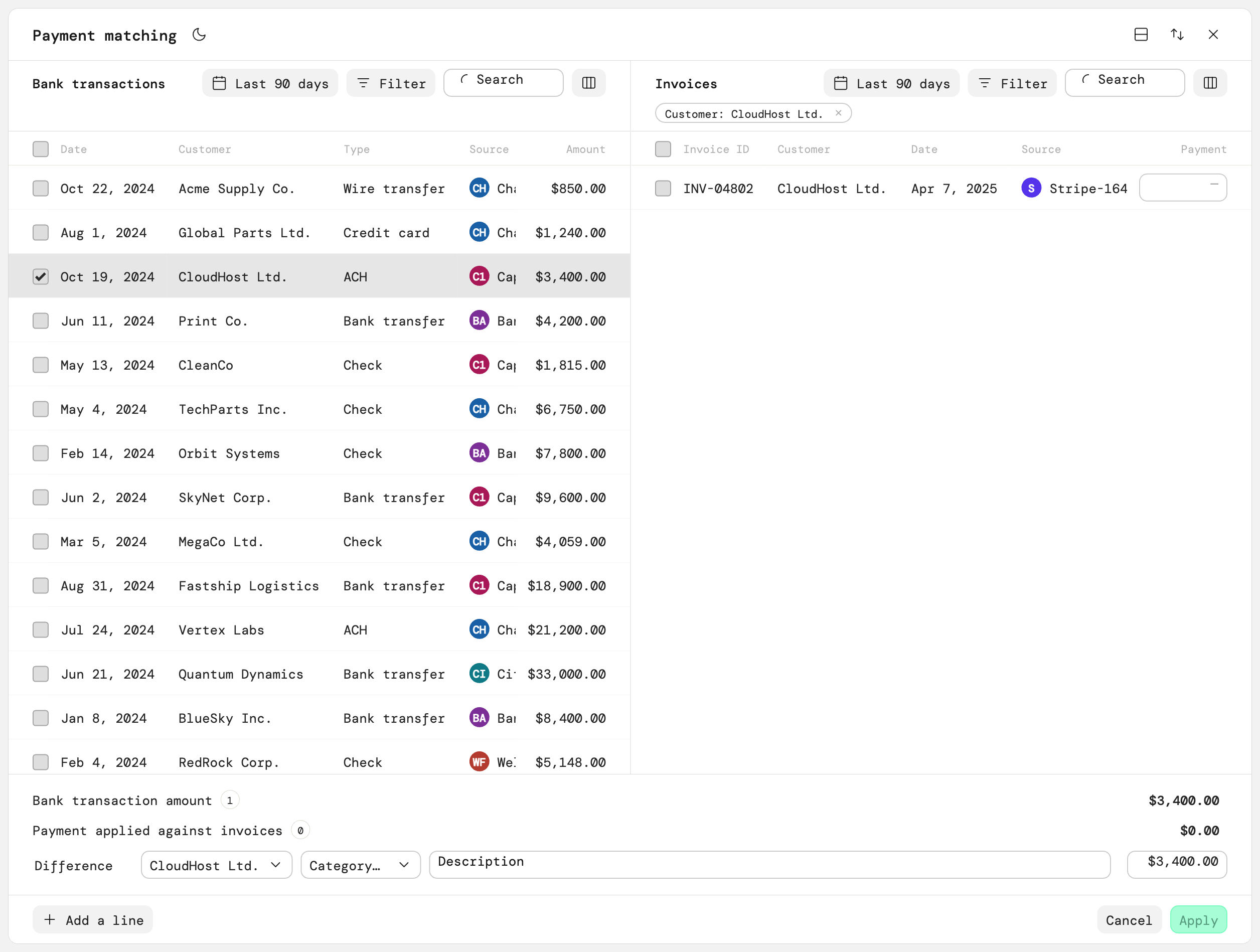
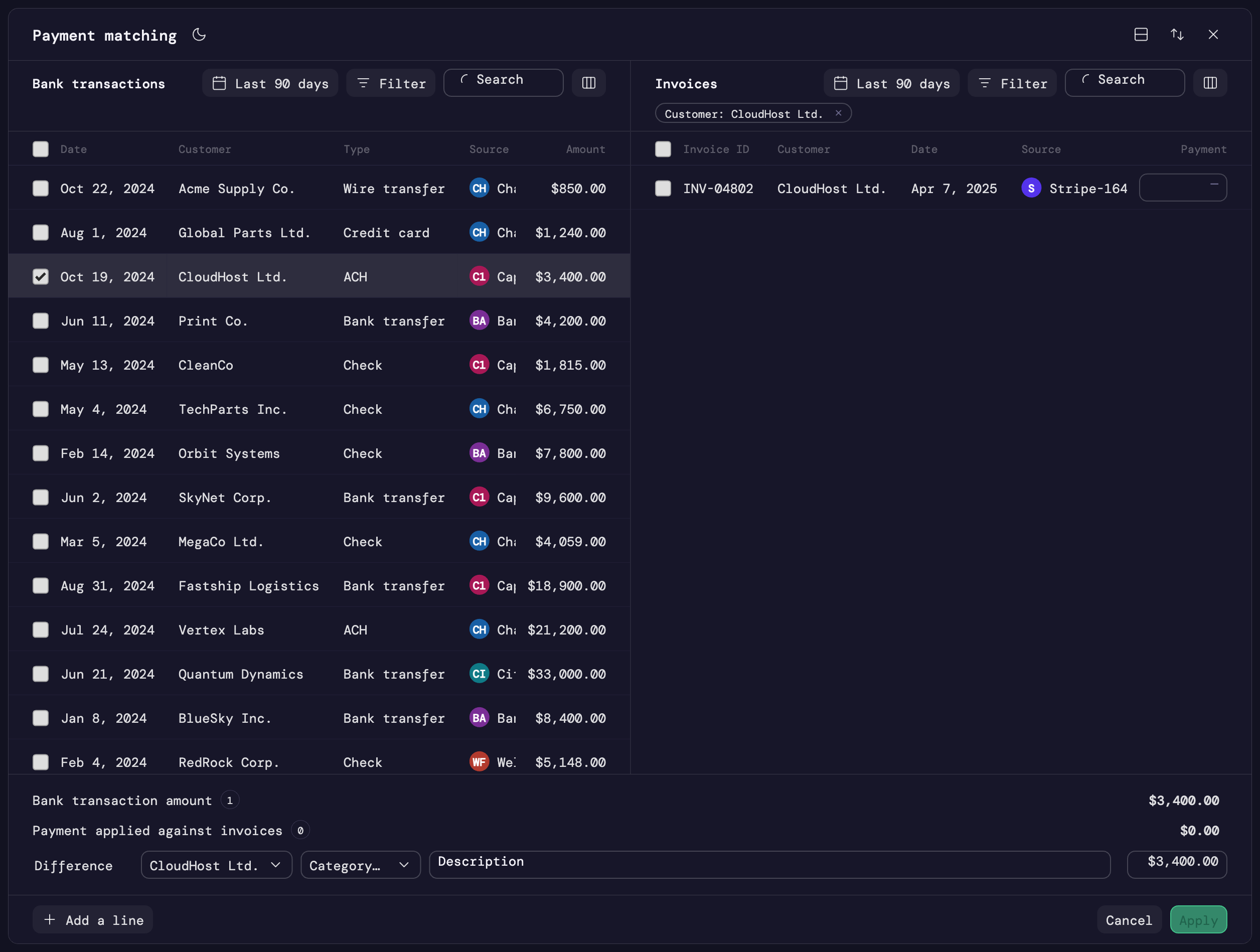
But filtering shouldn’t become a dead end. The accountant can always search, adjust filters, or broaden the results when the initial context isn’t enough.
Context → likely results → accountant judgment. Not context → forced decision.
That distinction mattered for a financial workflow where the system can’t always know the full story behind a payment.
Matching isn’t always the final answer
Finding the right invoice/bill only gets an accountant halfway there. The harder question is how the payment should actually be applied, and the workspace treats that as part of the same flow instead of a separate step:
- Split or combine: apply one payment across several invoices/bills, or apply several payments against one
- Apply now, resolve later: apply part of a payment and leave the rest unapplied, on the customer’s/vendor’s account, with no document picked yet
- Adjust anytime: change any allocation, even after it’s been applied, and watch the numbers update immediately
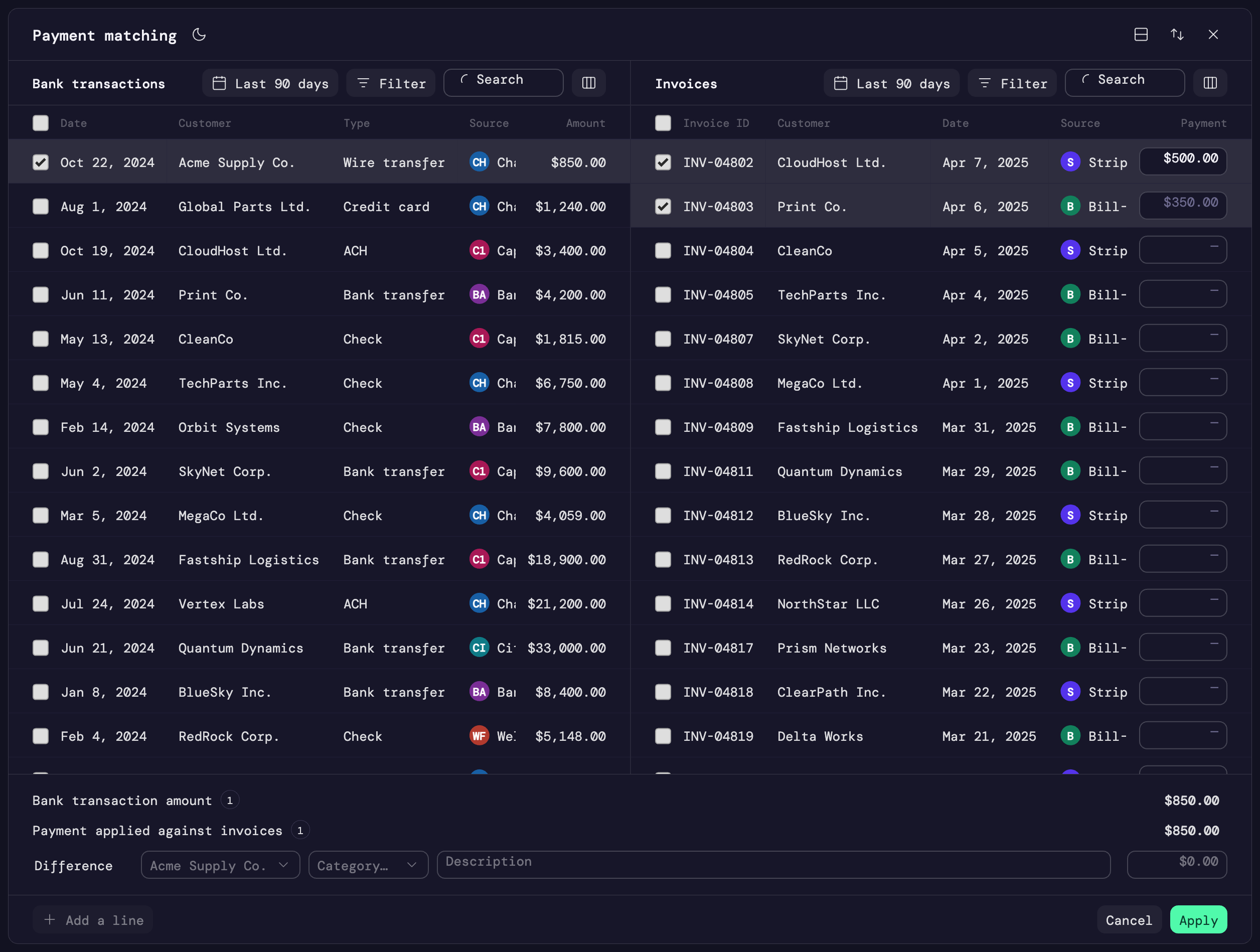
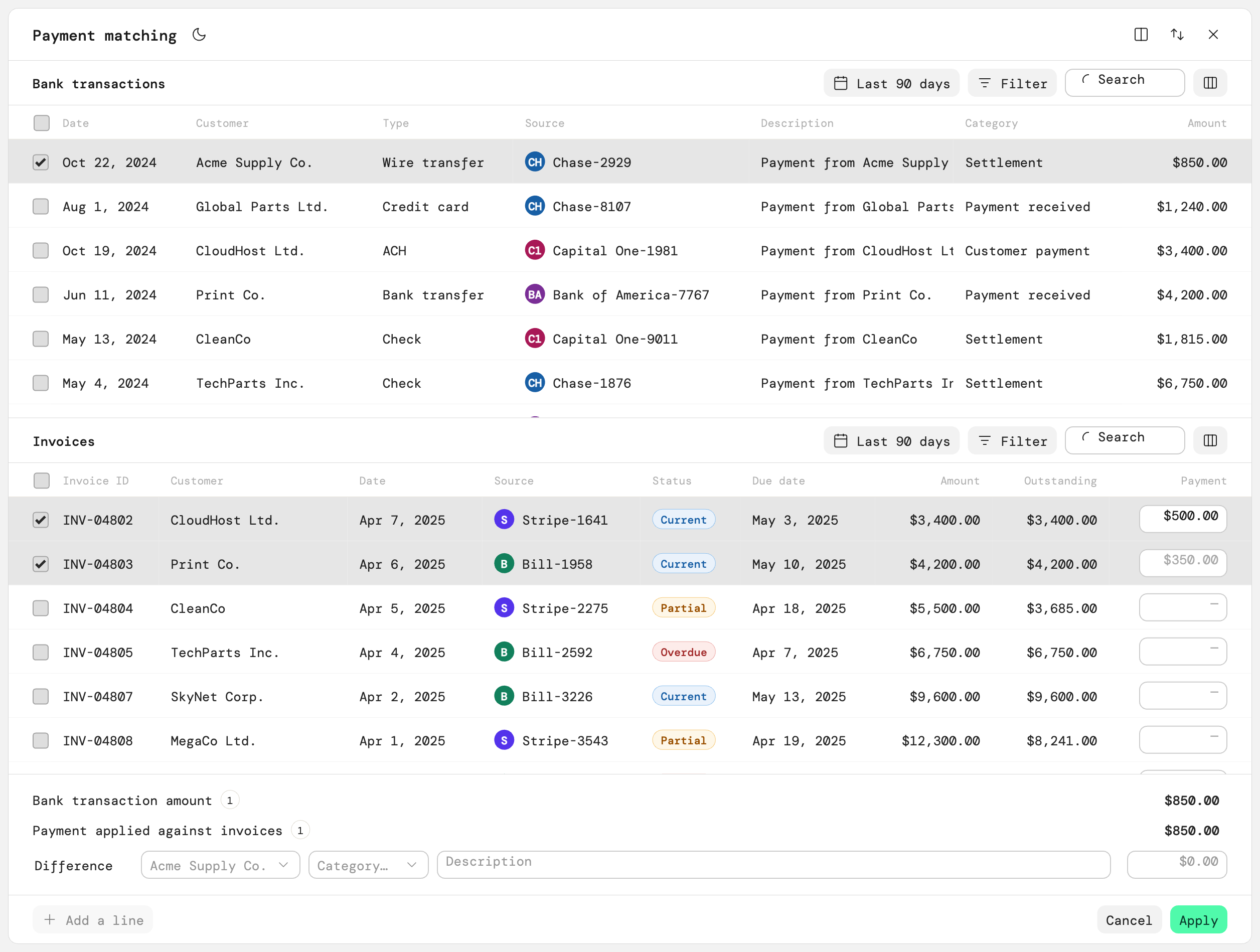
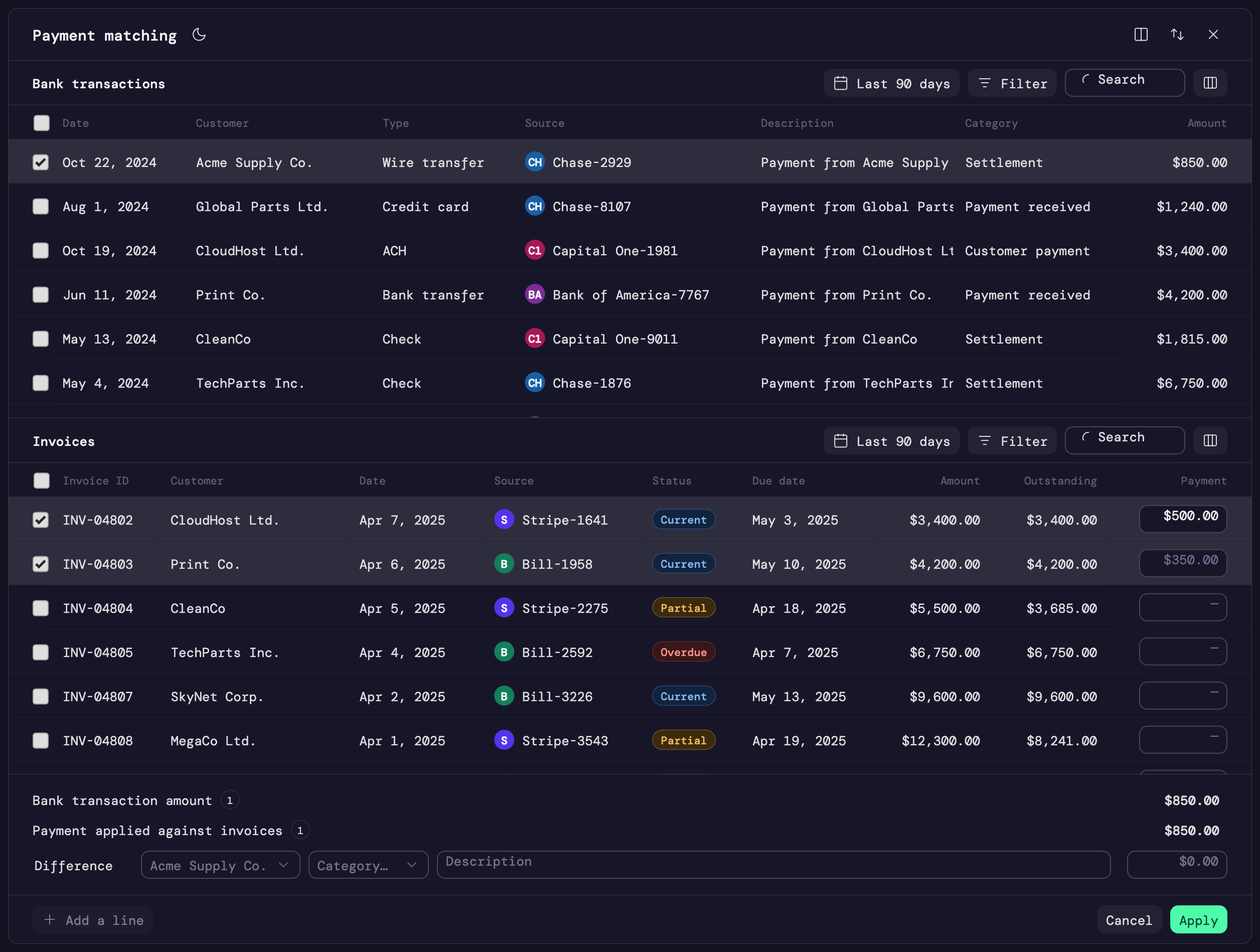
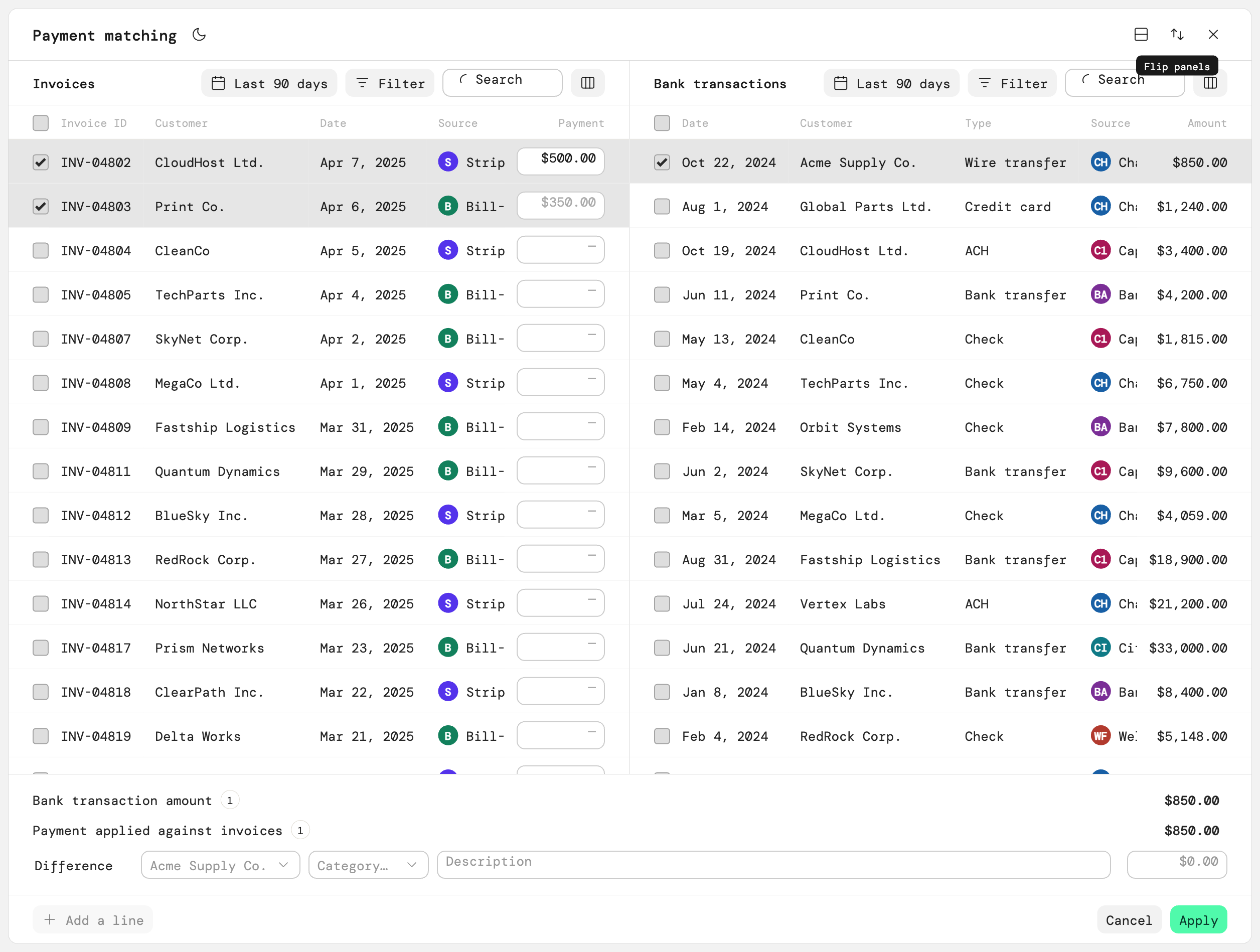
Underneath all three is the same running math: payment amount, applied amount, and remaining balance stay visibly connected throughout, so it’s always clear whether a payment is fully resolved or still needs attention.
A workspace that adapts
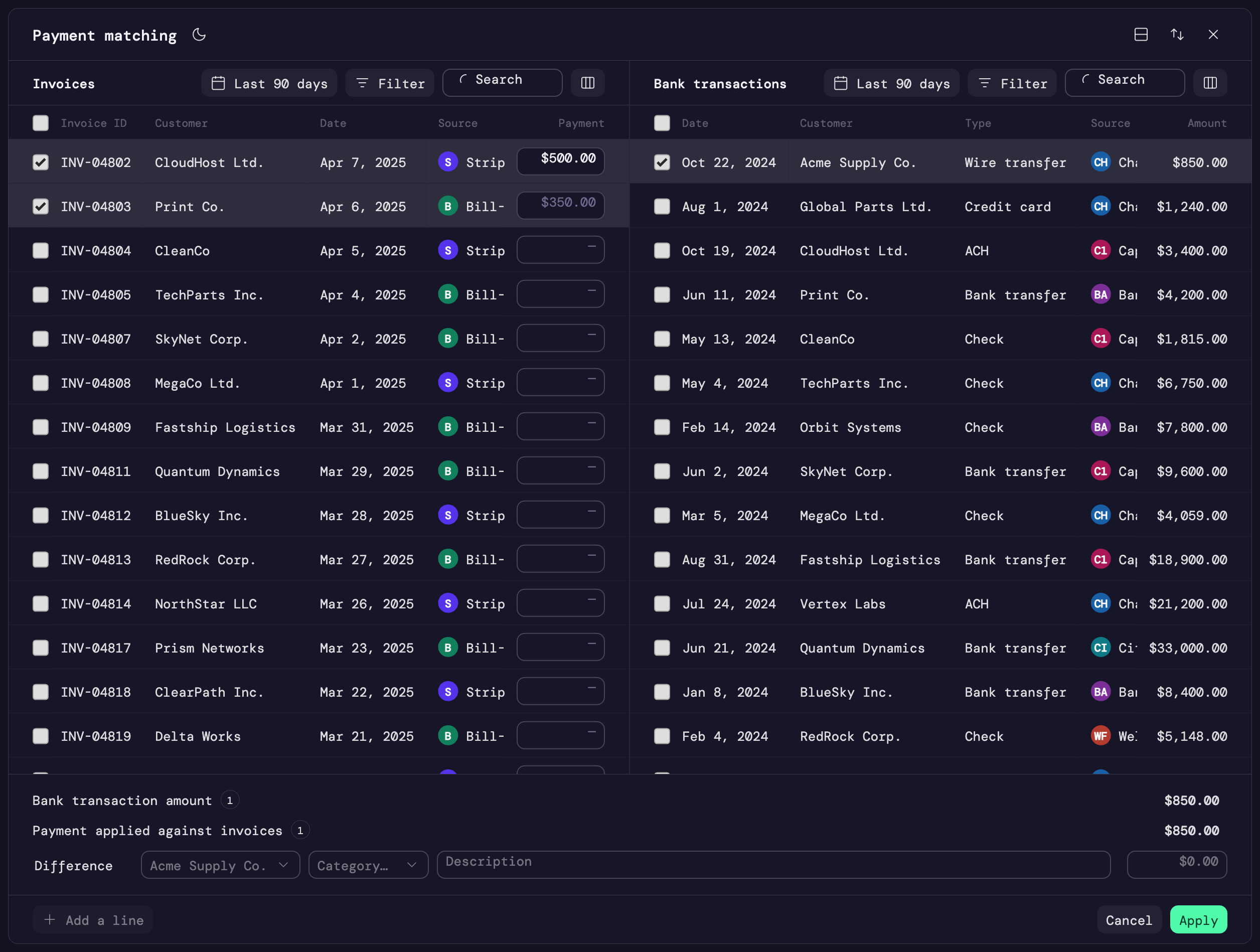
The core interaction is a two-sided workspace: payment/transaction on one side, invoice/bill on the other, which makes the relationship between the two explicit. But accountants don’t always approach the problem from the same direction, so the workspace adapts: horizontal or vertical layout, flipping which side is which, independent search and filtering, multi-select, and different starting contexts.
The goal wasn’t a visually clever interface. It was a workspace that could accommodate different starting points and different ways of resolving the same underlying accounting relationship.
Key design decisions
- Intelligent defaults, not rigid rules: use what Puzzle already knows to reduce work, but make it easy to override. The system should help accountants get closer to the answer without pretending it always knows the answer.
- Multiple matches in one workflow: a payment doesn’t necessarily correspond to one document, so supporting multiple selections prevents repeating the same operation for every invoice/bill.
- Allocation alongside matching: matching and allocation are closely related tasks, so the experience keeps them together instead of forcing separate workflows.
- Make the remaining amount visible: the interface has to continuously communicate payment amount → applied amount → remaining amount, so the accountant always knows what’s left to resolve.
- Preserve accountant control: automation can suggest and context can filter, but the accountant needs the final say.
The bigger challenge
Financial software tends to look clean in diagrams. In reality, money doesn’t always arrive with the information the system needs, so the product has to accommodate ambiguity, exceptions, partial information, and human judgment.
For payment matching, that meant treating the manual workflow as a first-class experience rather than a fallback for automation. The result is a reusable matching workspace that combines automation, context, flexibility, and accountant control: the system does the easy work, and when it can’t, the accountant still has a clear path forward.
What I took away
The most important insight from this work was that financial workflows shouldn’t be designed around the ideal transaction. The exceptions are where trust is won or lost. When the numbers don’t line up, when a payment doesn’t have enough context, or when one payment needs to affect several records, the interface needs to make the situation understandable, not hide the complexity.
Good financial software doesn’t eliminate complexity by hiding it. It makes complexity manageable.